How it works
What changes inside the controller, in plain terms. Each section links to the PhobGCC project's own write-up if you want the full detail.
Press B to start the sticks
Every time you plug the controller in, the sticks are locked to center until you press B once. That keeps a bumped stick from saving a bad center. If the sticks don't move, press B.
Hall effect sticks
A stock stick reads position with a potentiometer: a metal wiper that scrapes across a resistive track. Every movement wears the track a little, and eventually the reading drifts.
The Phob board puts a small magnet on each stick axis above a linear Hall effect sensor. The sensor measures the magnetic field, so nothing touches and nothing wears. As long as the magnet stays in place, the reading stays true.
Snapback filter
When you let go of a stick, the spring throws it past center and it bounces back. On a stock controller the game reads that bounce, which can turn a dash into a dashback you didn't input.
The filter ignores fast bounce near center but follows slow, intentional movement closely, so small tilts stay responsive.
Stock vs Phob: stick X after releasing a full right tilt. Dashed lines mark ±0.2875.
Notch remapping
Notched gates give you physical stops for exact angles. Raw sensor positions never line up perfectly with the coordinates those angles should produce, so the firmware stretches stick space until each notch sends exactly the right value.
Linearization
Raw Hall sensor readings aren't even across the stick's range. During calibration the firmware fits a curve to your gate's notch positions and corrects for it, so the stick responds evenly from center to edge, like a good potentiometer stick.
Trigger modes
Each trigger can run one of nine modes. "Analog" is the slider value the game reads as you press; "digital" is the click at the bottom of the travel. One press, shown at the top of the table, feeds every row at the same moment: the hatched bar is a typical stock controller, the solid bar is the Phob output for that mode, and a filled circle means the digital click is on. Stock numbers are approximate; real controllers vary.
| Mode | Behavior | Stock vs Phob |
|---|---|---|
| 1 | StandardAnalog slider is active, with a digital press at the bottom. | Analog: Slider · Digital: At bottom |
| 2 | Digital onlyThe analog slider is off. You only get the click. | Analog: Off · Digital: At bottom |
| 3 | Analog onlyThe digital press is off. You only get the slider. | Analog: Slider · Digital: Off |
| 4 | Lightshield then digitalAnalog rises only to a value you set, then the click maxes it out. | Analog: Capped, max at click · Digital: At bottom |
| 5 | Analog value at digitalNo slider. The click sends your set analog value, with no digital output. | Analog: Set value at click · Digital: Off |
| 6 | Analog + digital at digitalNo slider. The click sends your set analog value plus a digital input. Handy with trigger plugs in Smash Ultimate. | Analog: Set value at click · Digital: At bottom |
| 7 | Hairtrigger analogAnalog is multiplied up to 3x, so you don't need to press as far to shield. | Analog: Multiplied · Digital: At bottom |
| 8 | Lightshield on analogLike mode 4, but with no digital output. | Analog: Capped · Digital: Off |
| 9 | Hairtrigger lightshield then digitalLike mode 4, with 2.5x more sensitive analog. Good for short-travel triggers. | Analog: 2.5x, capped · Digital: At bottom |
Adapter polling
On PC, the adapter decides how often the computer hears from your controller. Faster polling means less delay between your input and the game.
| Polling rate | Max added delay |
|---|---|
| 125 Hz | 8.00 ms |
| 500 Hz | 2.00 ms |
| 1000 Hz | 1.00 ms |
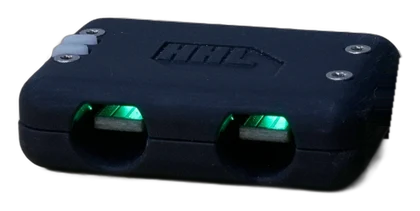
Recommended: a 1000 Hz adapter such as the HHL. Phobs may not work with most Mayflash adapters.